
Everyday intelligence / iOS
Magpie
A little less to keep in your head.
A native iOS assistant that turns conversations, screenshots, and shared links into calendars, expenses, notes, lists, and saved places.
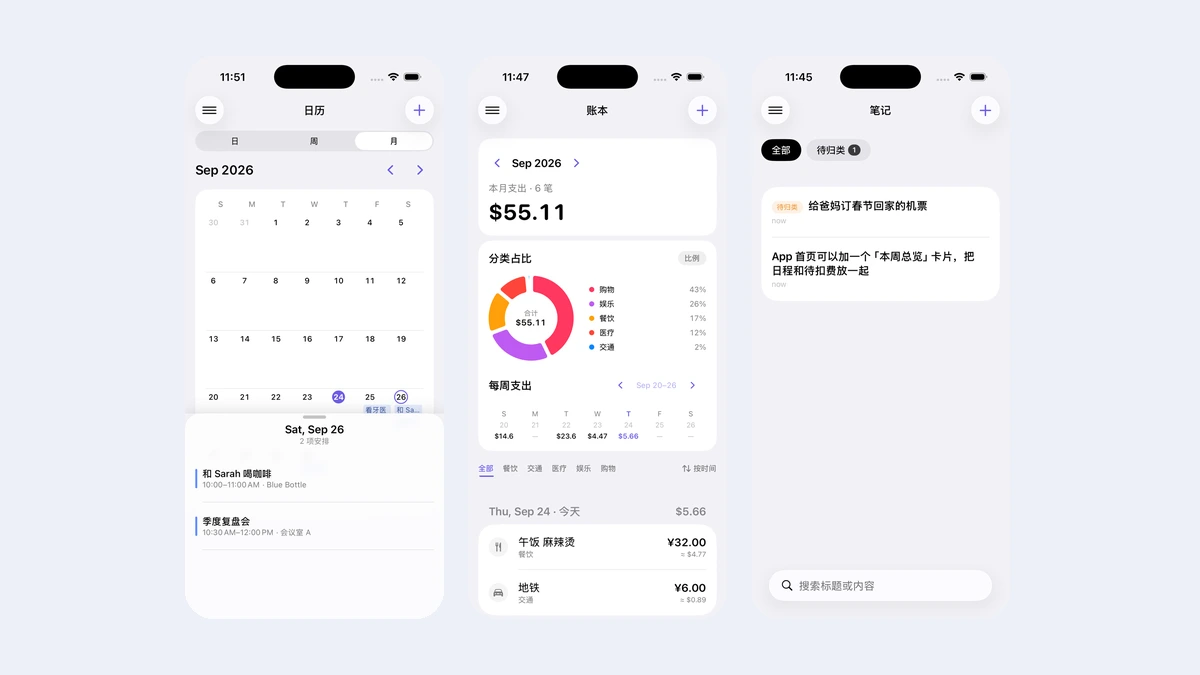
What it does
Capture without sorting
Type, dictate, or share a screenshot or link. The app helps turn the input into a useful record.
One conversation flow
A shared conversation engine and input bar carry the same interaction across the home screen and individual modules.
Useful, editable records
Calendars, expenses, notes, places, and item collections remain structured records that can be reviewed and edited.
Clarify before committing
Missing or uncertain facts are surfaced for clarification instead of being silently filled in. Undo and the recycle bin support recovery.
Inside the product
Select an image for a closer look.
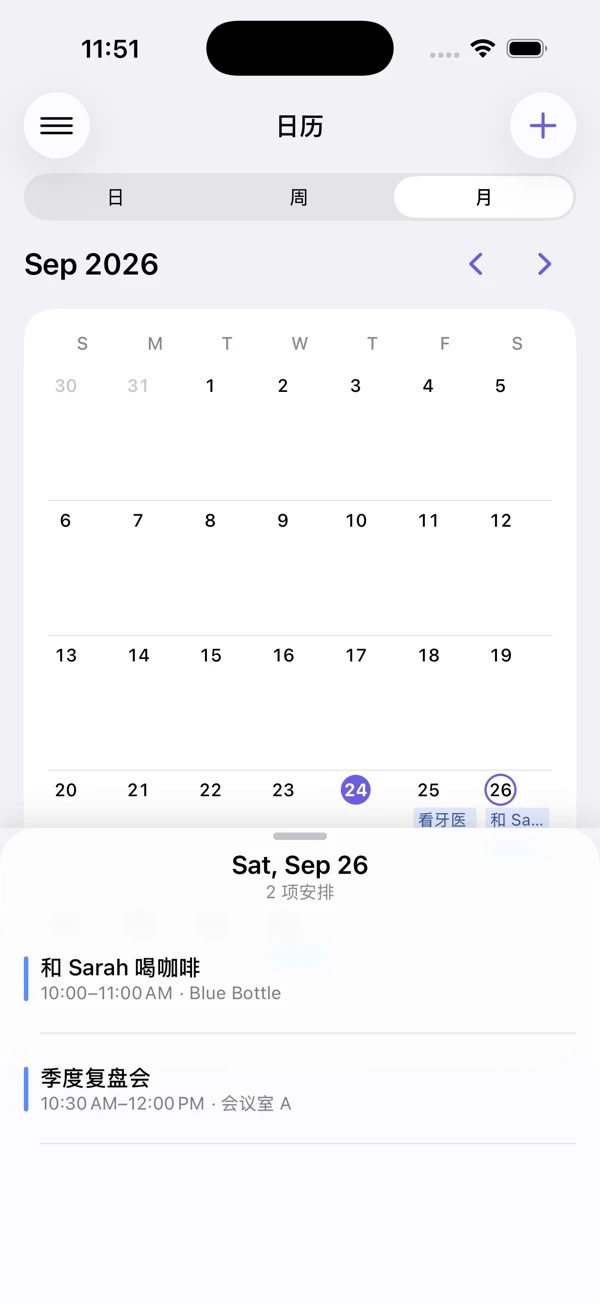
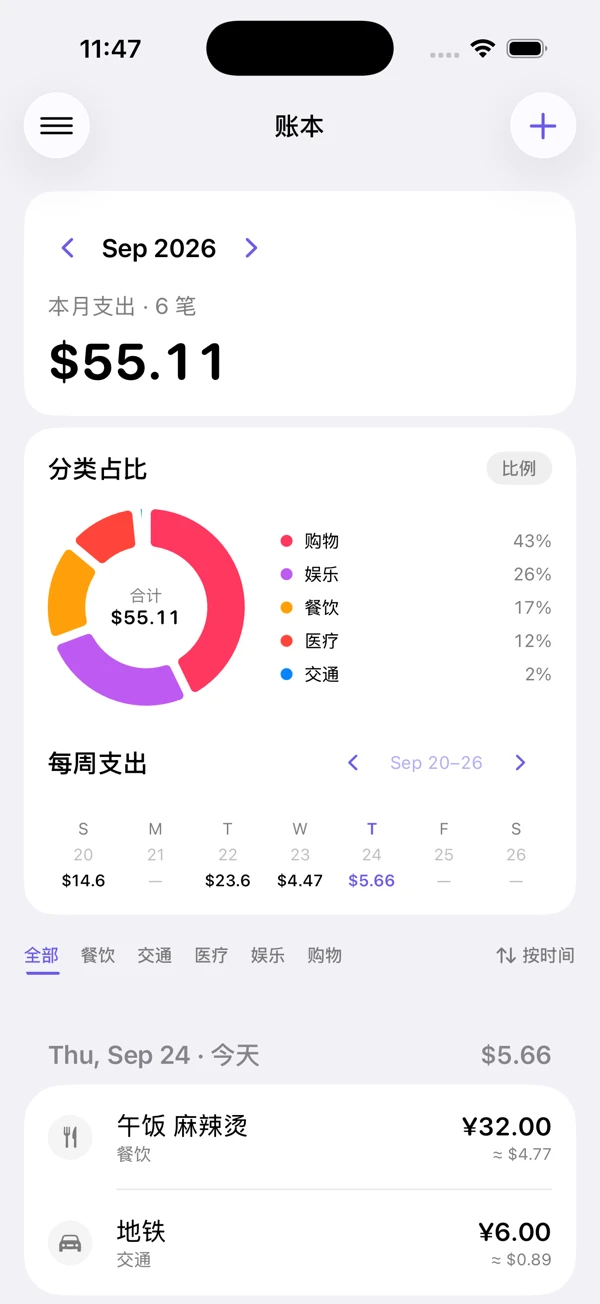
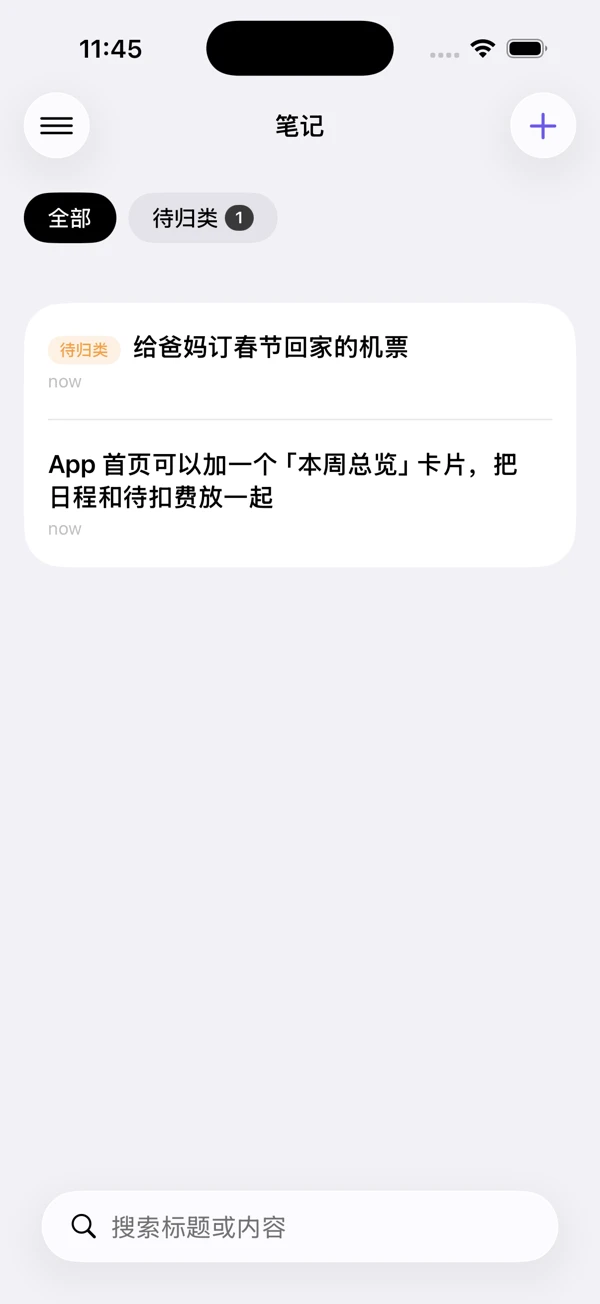
Capture first, sort it out later
The useful things in a day arrive in the wrong shape. An appointment is a sentence in a message. A purchase is a photograph of a receipt. A place is a link someone sent. An idea is a thought you have on a walk and lose by the time you're home.
Magpie is my attempt to stop losing them. You talk to it, or paste something at it, or share into it from another app, and what comes out is a calendar event, an expense, a note, a saved place — a record with fields, not another line in a chat log. The screenshots here come from the running app in a clean simulator with sample data.
One conversation, every screen
Every module — home, expenses, calendar, notes, places — sits on the same conversation engine, input bar and result view. Text, dictation and shared content all take the same path, so there is no separate "AI feature" to go and find on each screen; there is just the one way to tell the app something.
Expenses combine the records with category and weekly summaries. The calendar browses dates and opens a day. Notes stay deliberately thin, because anything heavier and I stop using it. Places run on MapKit, and the share extension is how most things get in.
It asks when it isn't sure
The rule I held to: never guess a fact. If the date, the amount or the intent is ambiguous, say so and ask, rather than quietly committing something plausible. An assistant that is confidently wrong about what you spent is worse than no assistant, because now you have to check everything.
That runs through the ordinary interactions too. Deletions have a way back. Feedback looks the same in every module. And results are shown as concrete records you can read and correct, not as a paragraph of prose you have to trust.
Native storage, a separate AI service
SwiftUI renders the interface and SwiftData keeps every record on the device. The cloud AI path is a TypeScript Cloudflare Worker that proxies model requests, streams responses back and logs usage in D1.
Splitting it this way keeps the mobile app free of any provider's transport details. Magpie is an iOS app; the Worker is a small separate thing I can change or replace without shipping a new build to the App Store.
What the walkthrough shows
The recording below goes from the sample calendar into the expense dashboard and flips the category chart from percentages to amounts. It is navigation and data presentation, with no live model call — and it is silent, so nothing in it is carried by audio.
Technology
- Native application
- Swift · SwiftUI · SwiftData
- Platform integration
- Share extension · Speech input · MapKit
- AI backend
- Cloudflare Workers · TypeScript · Streaming responses · D1 usage records
In motion
Calendar to expenses
Resources & further reading
- Technical notes · Markdown
Architecture & product notes
A concise reference to the product flow, system boundaries, and implementation choices.