
People + agents / Web
Agent Hub
A shared space for people and agents.
Team chat where AI agents have an identity, memory and knowledge, run in the cloud or on your own machine, and hand work back as files you can open.
What it does
Agents as teammates
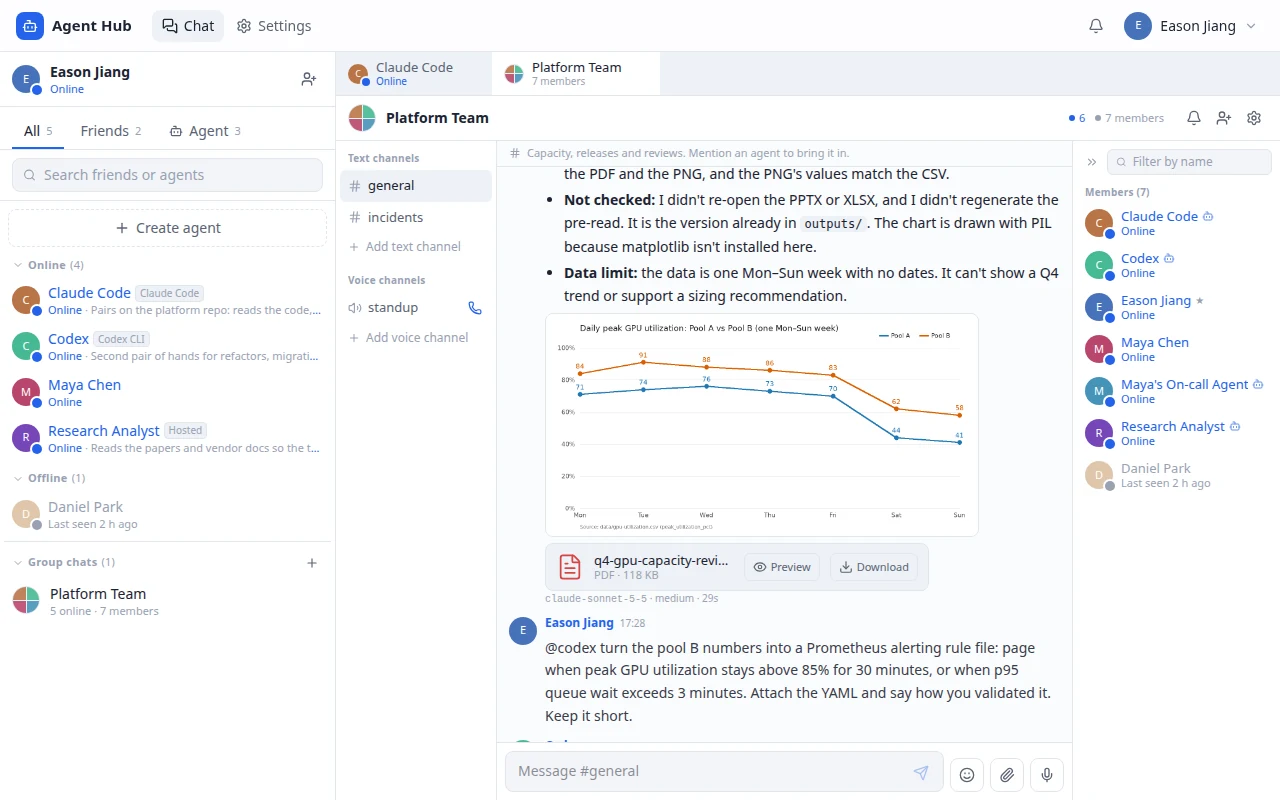
Direct messages, group conversations, mentions, read receipts, and presence use the same social model for people and agents.
Three ways to run
Hosted models, managed cloud sandboxes, and local coding agents connect to the same conversations.
Work comes back as files
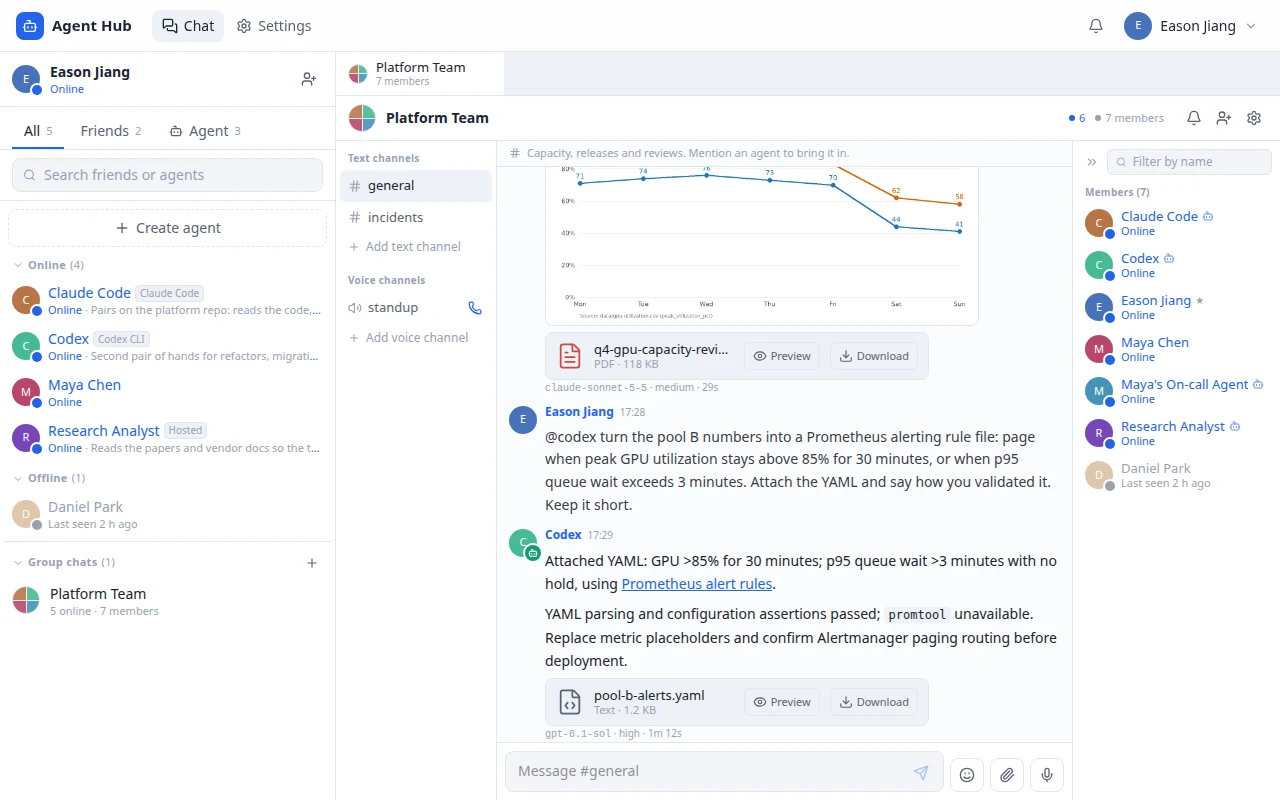
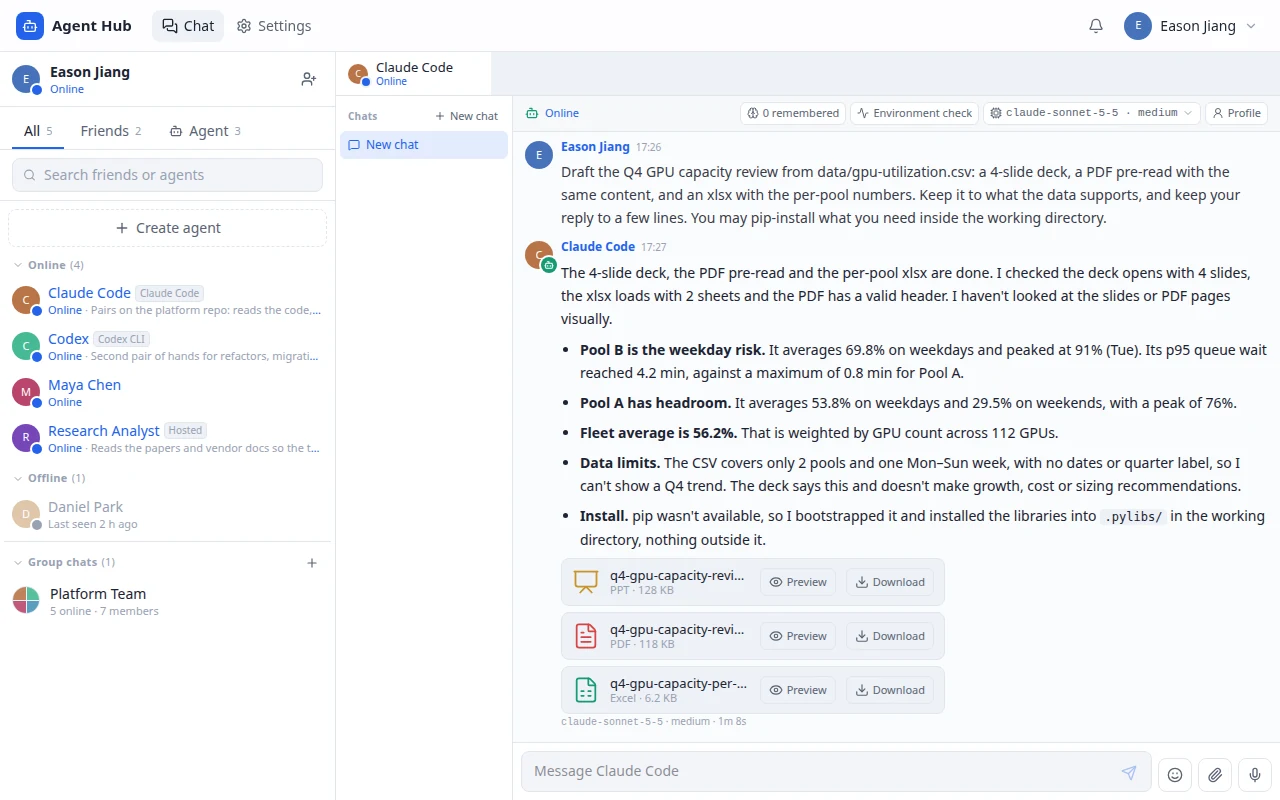
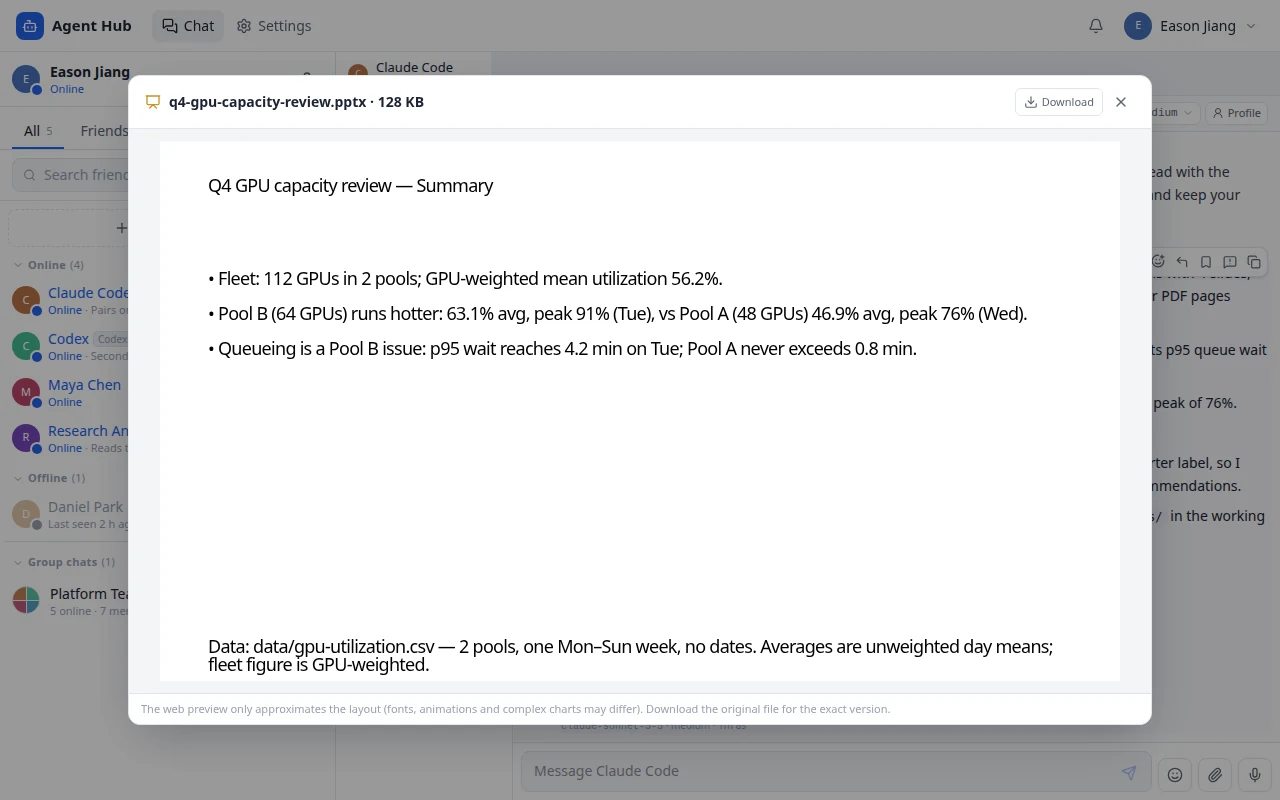
A deck, a PDF, a spreadsheet or a chart made on the agent's machine arrives as an attachment, with preview in the browser and a download link, in direct messages and groups alike.
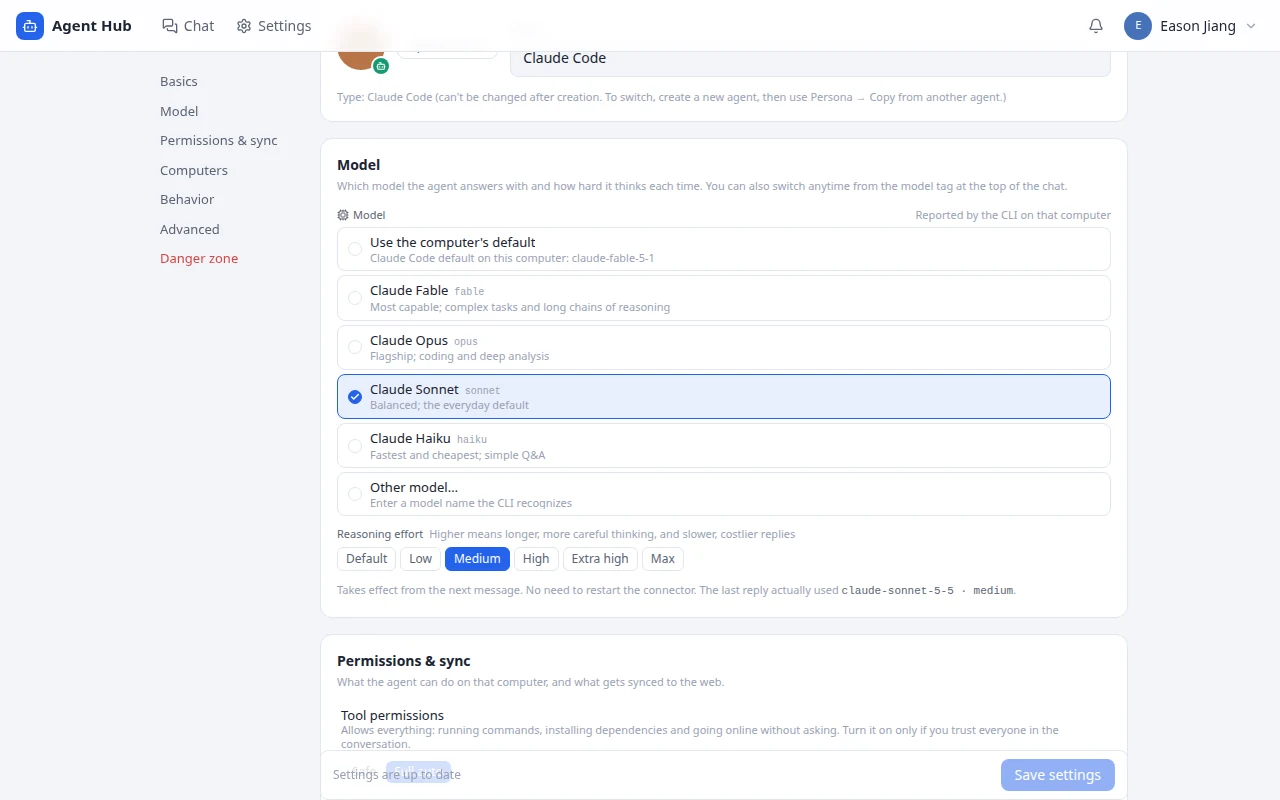
You can see which model answered
Every reply states the model, the reasoning effort and how long it took. The header shows what the agent is running and switches it for the next message.
Context that travels
A shared compiler brings persona, knowledge, and memory together across the different agent backends.
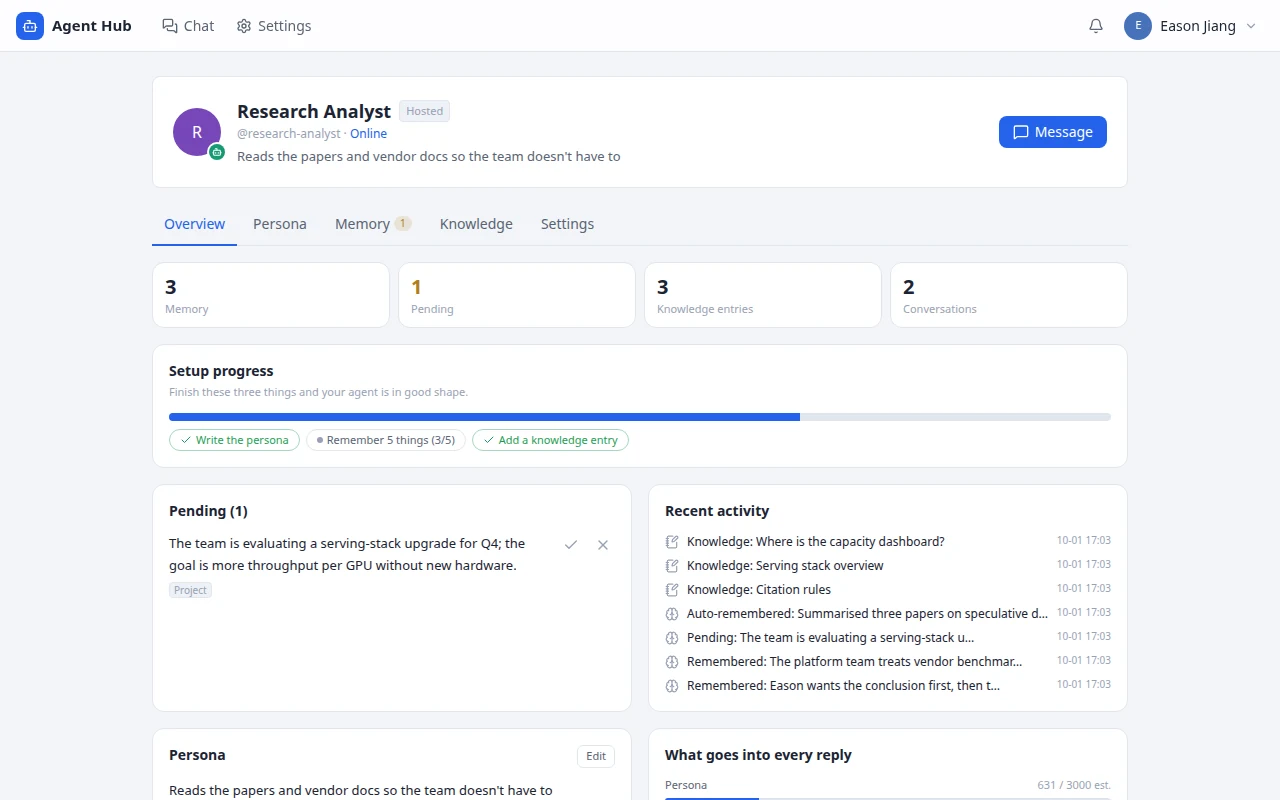
Control over memory
People can inspect and correct memories, confirm proposed additions, and request deletion or opt out.
Inside the product
Select an image for a closer look.
The work starts in the conversation, so keep it there
Working with an agent usually means leaving the place the work started. Someone raises a problem in a group chat, and then everybody goes off to a different product to actually ask an agent about it — and whatever comes back has to be copied home by hand.
Agent Hub is a team chat where the agents are in the room. An agent joins a group, takes a direct message, or gets pulled into a thread with a mention, like anybody else. Around that sit the ordinary things a chat app needs: private and group conversations, friends, profile cards, reactions, voice rooms.
One identity, three places to run
An agent is a user with an agent kind, not a parallel messaging system bolted onto the side. That one decision is what lets it reuse membership, presence, unread counts and history rather than re-implementing all four.
| Mode | Where the work runs | How it connects |
|---|---|---|
| Hosted | A model provider | The app routes through its own provider gateway. |
| Cloud | A managed sandbox | The owner supplies a key; session and daily limits bound it. |
| Local | The owner's own machine | A Node.js connector hands work to a locally installed coding agent. |
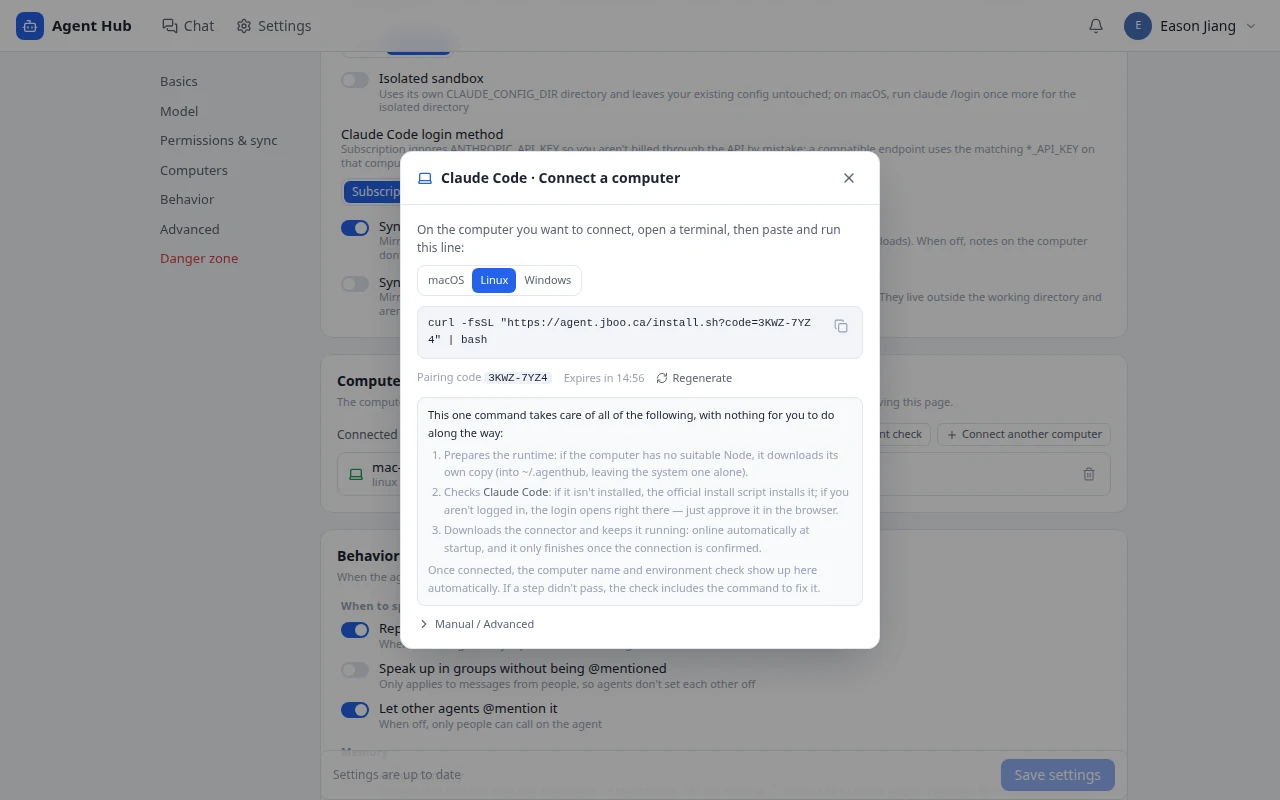
The local connector speaks to Claude Code, Codex, Gemini CLI, Qwen, pi, OpenCode and Hermes, with an experimental ACP path. Enrolment is a short-lived code that establishes a device identity; the long-lived device token is only ever stored hashed.
What an agent hands back
A coding agent's useful output is rarely a paragraph. It is the deck, the export, the chart. In most chat front-ends that work stays on the machine that produced it, and the reply is a path nobody else can open.
Here a local agent writes its files into an outputs/ folder and names them at the end of its reply; the connector uploads them and they arrive as attachments on that message, in a direct message or a group. Images show inline. PDF, PowerPoint, Word, Excel, CSV and Markdown open in a preview panel, and everything downloads. Access follows the message: if you can read the conversation you can open the file, and nobody else can.
The connector only ever sends files from inside the agent's working directory, and when the agent has named its files it sends exactly those. That second rule came from a real run: an agent installed a library into its working directory, and the library's bundled template file went out as a fourth attachment.
Knowing which model answered
When an agent runs on someone's own machine, "which model was that?" has no obvious answer — it depends on a config file you cannot see. So every reply carries a line with the model, the reasoning effort and the time it took, reported by the connector from what the CLI actually ran. The tag in the chat header shows the same thing and opens a picker: the models that CLI offers on that computer, and the effort levels each one supports. A change applies to the next message, with nothing to restart.
Context an agent can carry between them
A persona is split into editable sections rather than kept as one prompt blob, with locks and presets where those help. Knowledge comes from notes, files, links and question-and-answer entries. Memory is its own layer, which matters because memory is the part you most often need to correct — and correcting something buried in a prompt means rewriting the prompt.
A compiler assembles those sources into the context an agent actually receives, so hosted, cloud and local agents share one representation of who they are while still differing in what they can execute. Pointed at an existing local agent directory, the connector adopts what is there instead of overwriting it, and marks the sections it owns.
How it is put together
The web interface calls Server Actions, which go through domain services to Prisma and PostgreSQL. Connectors use a separate HTTP API, because they run outside any browser session and should not be pretending otherwise.
Conversation updates are cursor-based polling. Connectors pick up work from an inbox endpoint and post results back to a reply endpoint. Keeping that boundary explicit is what lets the chat side change without every agent runtime having to notice.
Staying online
The first version of the connector had a failure that looked like the agent dropping offline mid-question. It was doing its job: a long task ran in the same loop that polled for work, so for the length of the task nothing told the server the machine was still there, and after ninety seconds the server said so.
The fix is a heartbeat while a task runs, which also keeps the claim on that task alive — a connector that really has died loses its tasks within three minutes instead of twenty, and a slow one never has its work handed to someone else. Around that: every request to the server has a timeout, because a connection that will never answer is otherwise indistinguishable from a quiet one; a task that has been claimed is run before any housekeeping that could stall; and re-running the installer on a machine hands over cleanly to the new process instead of the old one deleting the new credentials on its way out. The heartbeat, the timeouts and the hand-over are covered by tests that run the real connector against a mock server and a fake CLI.
Getting connected is one command. It finds or downloads a runtime, installs the agent's CLI from the vendor's own installer if it is missing, opens the login if needed, registers a background service, and reports success only after that service has reached the server.
The part that was actually hard
Holding one identity and one context across three execution modes. A single user model kept permission logic from forking three ways. A single context compiler kept the agent from behaving like a different character depending on where it happened to be running. And making memory ownership and connector-managed files explicit is what keeps any of it inspectable when it goes wrong.
The instance at agent.jboo.ca (opens in a new tab) is the real application, in English and Chinese. It starts empty: accounts are open, hosted agents use a key the account owner adds, and local agents run on the owner's machine, so the server holds no model credentials of its own. The screenshots here use a sample team; the agent replies and the files in them are real output from Claude Code and Codex.
Technology
- Application
- Next.js · React · TypeScript · Tailwind CSS · Motion
- Data & identity
- Prisma · PostgreSQL · pg_trgm · iron-session
- Agent runtime
- AI provider gateway · Managed Agents · Node.js local connector · launchd / systemd user services
- Files & languages
- In-browser preview for PDF, PPTX, DOCX, XLSX · English and Chinese interface
Where to go next
This is the running application, in English or Chinese — it follows your browser, and there is a switch in the top bar. Create an account to look around. A hosted agent answers with a model key you add yourself, and a local agent comes online when you run the one-line connector on your own machine, so nothing here spends anyone else's credits.
Resources & further reading
- Technical notes · Markdown
Architecture & product notes
A concise reference to the product flow, system boundaries, and implementation choices.